Lazada API Keys
To connect Lazada stores across Southeast Asian markets, you need an app created on the Lazada Open Platform in your company’s name. You only need to create it once; all regional country stores will share the same credentials.
Step 1: Create a Lazada Open Platform App
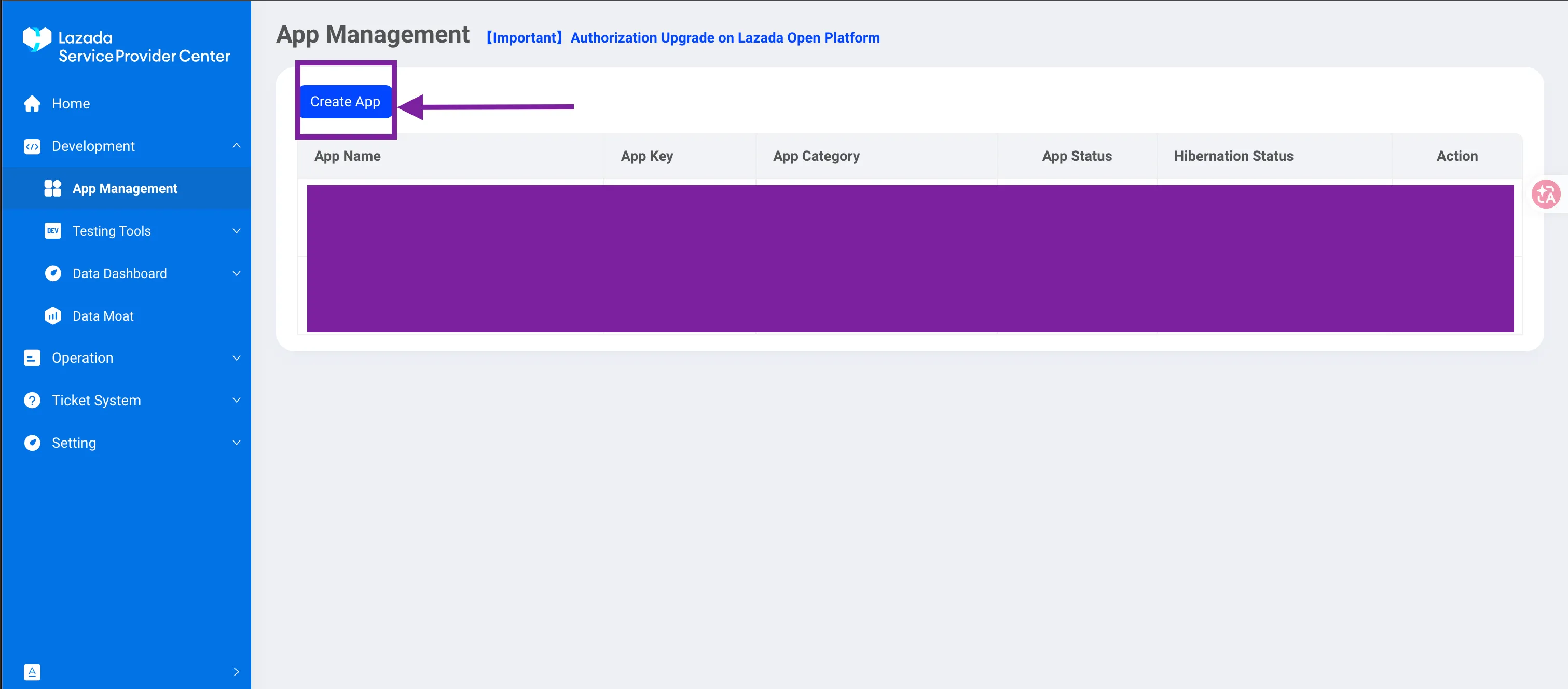
- In the Lazada Open Platform console, navigate to App Management and click the Create App button.
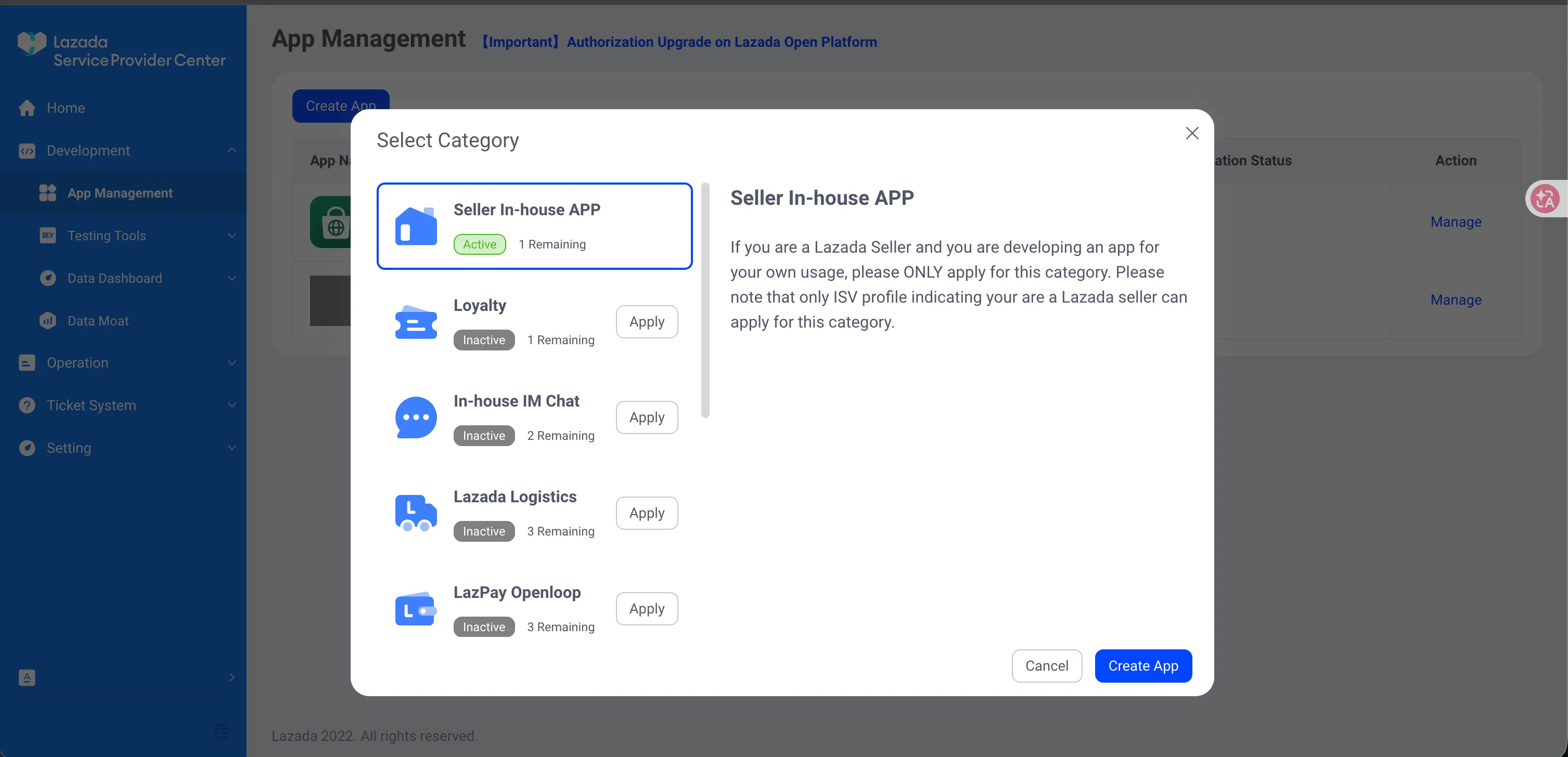
- Choose Seller In-house APP as the app category and click Create App.
Step 2: Fill in App Details & Upload Logo
- In the app creation modal, enter your App Name and Callback URL:
- App Name: Brand or company name (e.g.,
Prism Order Management) - Callback URL: Copy and paste the callback URL below:
- App Name: Brand or company name (e.g.,
https://prismorder.com/api/lazada/callback- App Logo (120x120): Download and upload the required 120x120 pixel logo image:
- Description: Copy and paste the system description below:
Internal system tool for order processing and inventory management.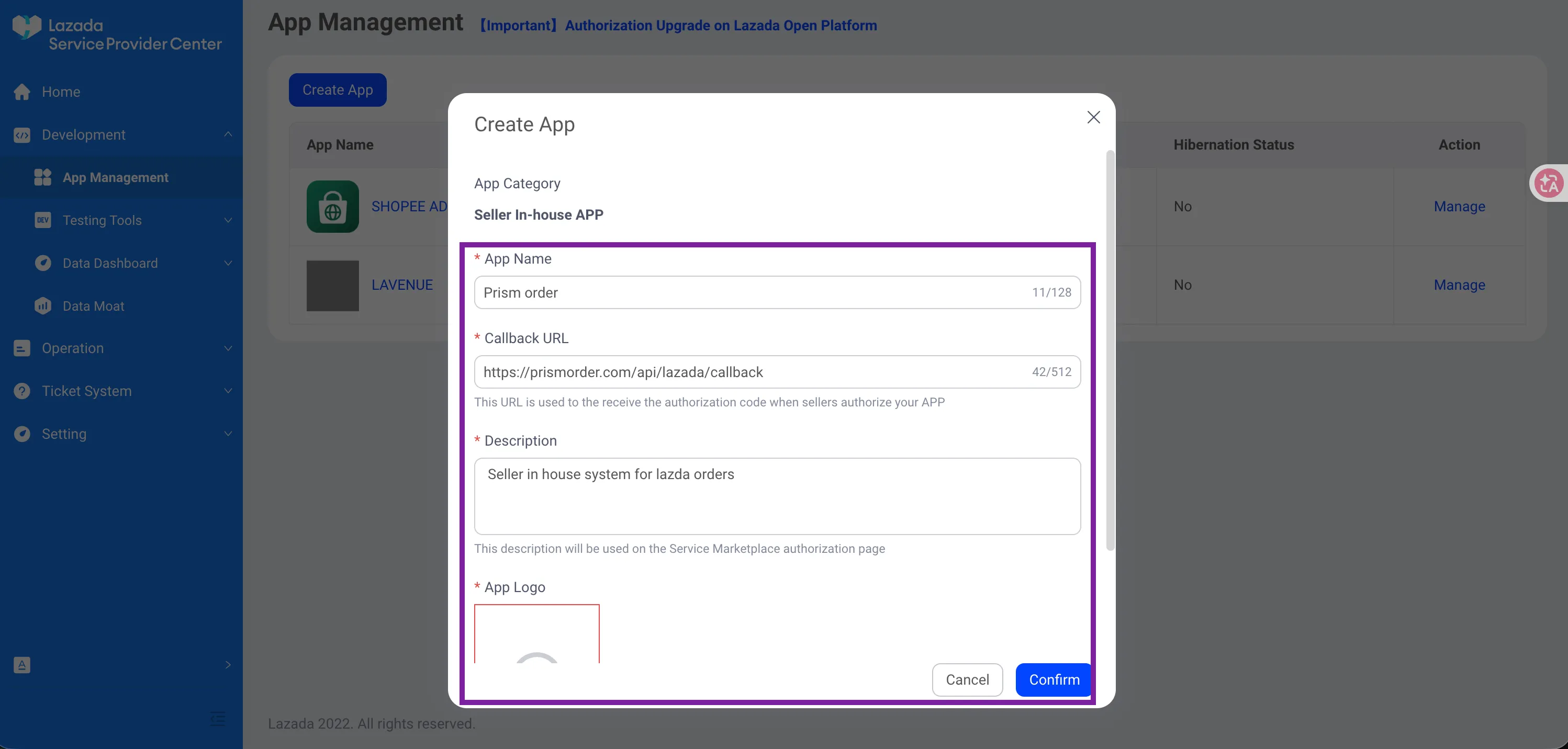
- Click Confirm to create the app.
Step 3: Add Authorized Seller Account
To connect your seller store in the Lazada Service Provider Center, your account must be added to the Authorized Seller Whitelist.
Before opening the modal, look up your store’s unique Short code (Seller ID) and Account (Email) in the Lazada Seller Center:
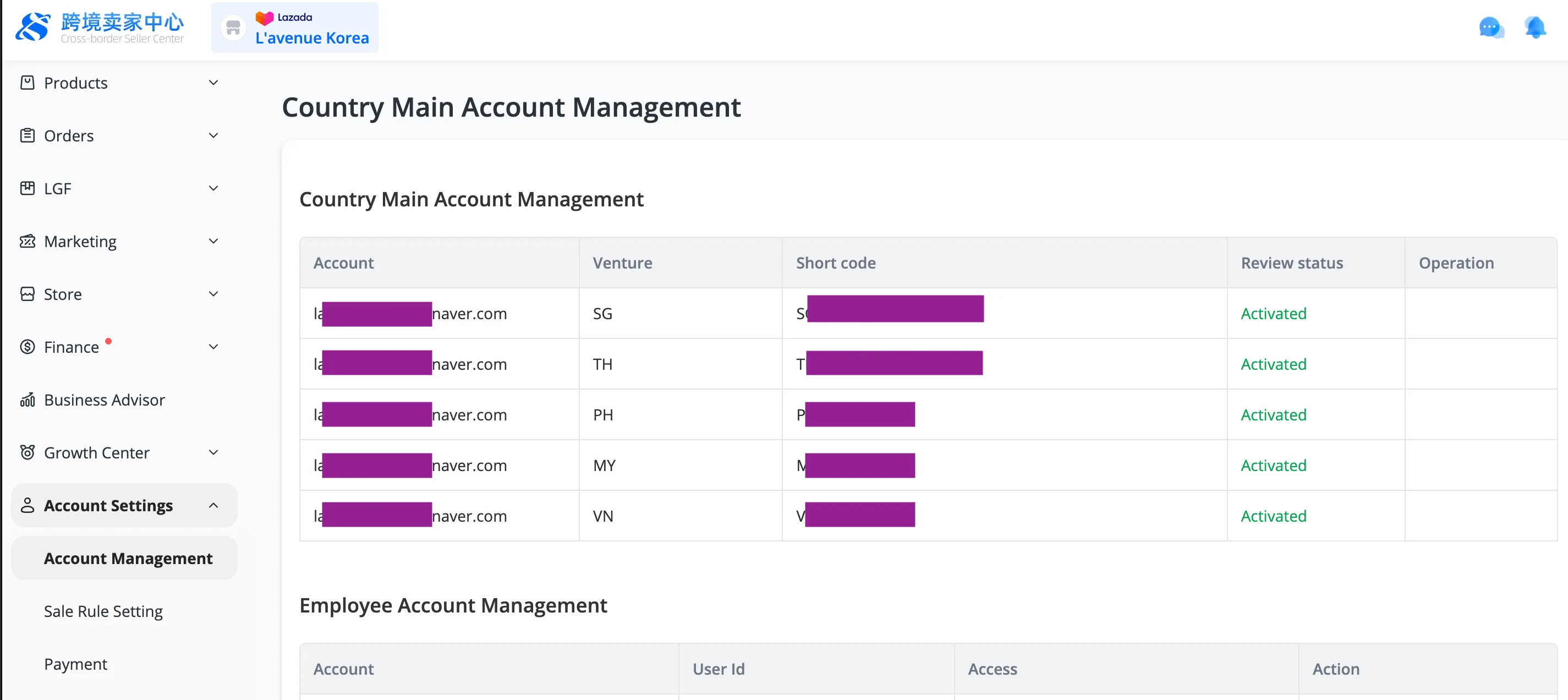
- Log in to the Lazada Cross-Border Seller Center, and go to Account Settings → Account Management in the left menu.
- In the Country Main Account Management table, locate the Short code column (e.g.,
SG*****,MY*****) and the Account column for the country store you want to link. This Short code functions as the Seller ID required for authorization.
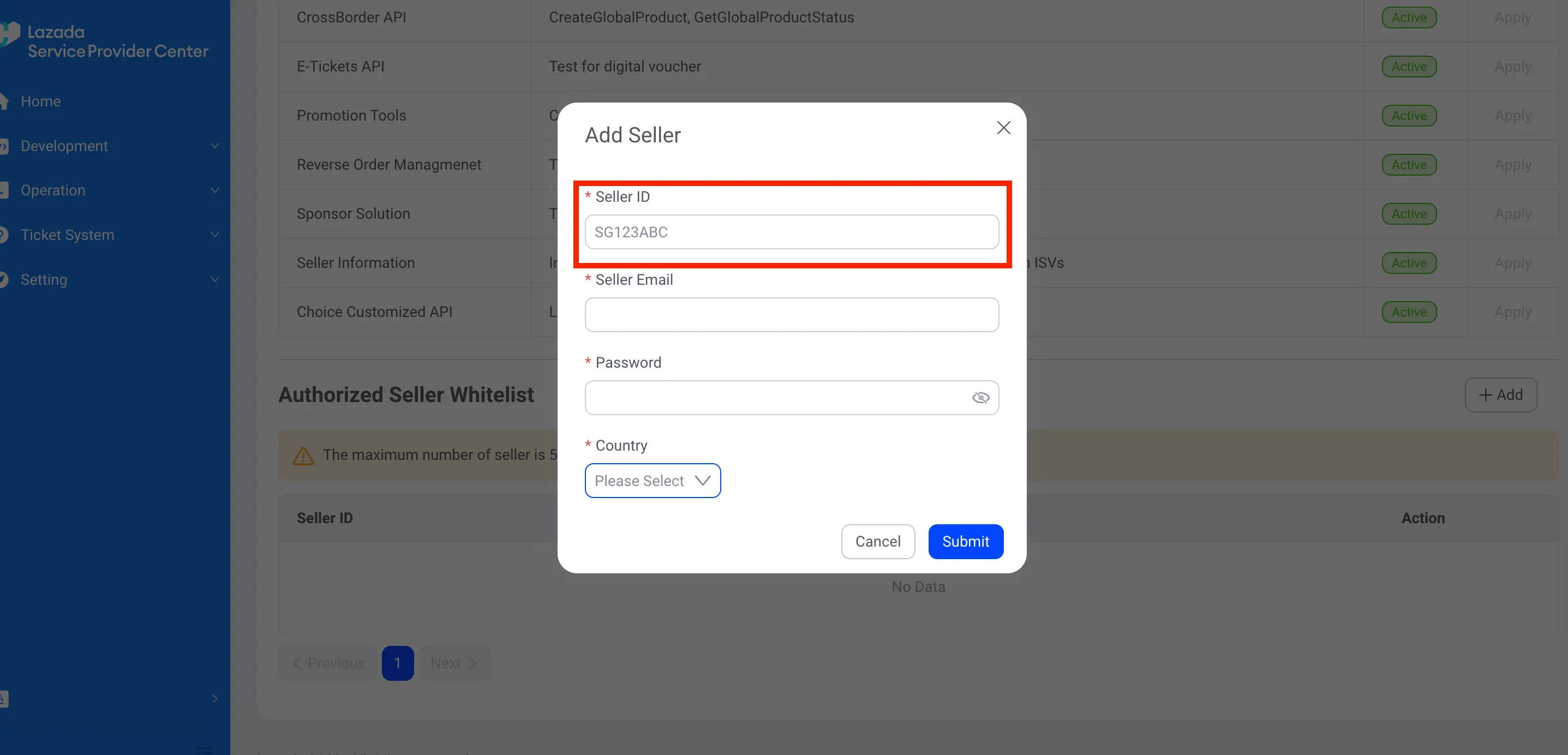
- Now, in the Lazada Open Platform Console, go to the Authorized Seller Whitelist menu and click the + Add button in the upper right.
- Fill in the modal using the seller credentials you located:
- Seller ID: Enter the country-specific Short code found above (e.g.,
SG123ABC). - Seller Email: Enter your seller account email address.
- Password: Enter your Seller Center login password.
- Country: Select the marketplace country.
- Seller ID: Enter the country-specific Short code found above (e.g.,
- Click Submit to complete seller registration.
Step 4: Apply for API Permissions & View Keys
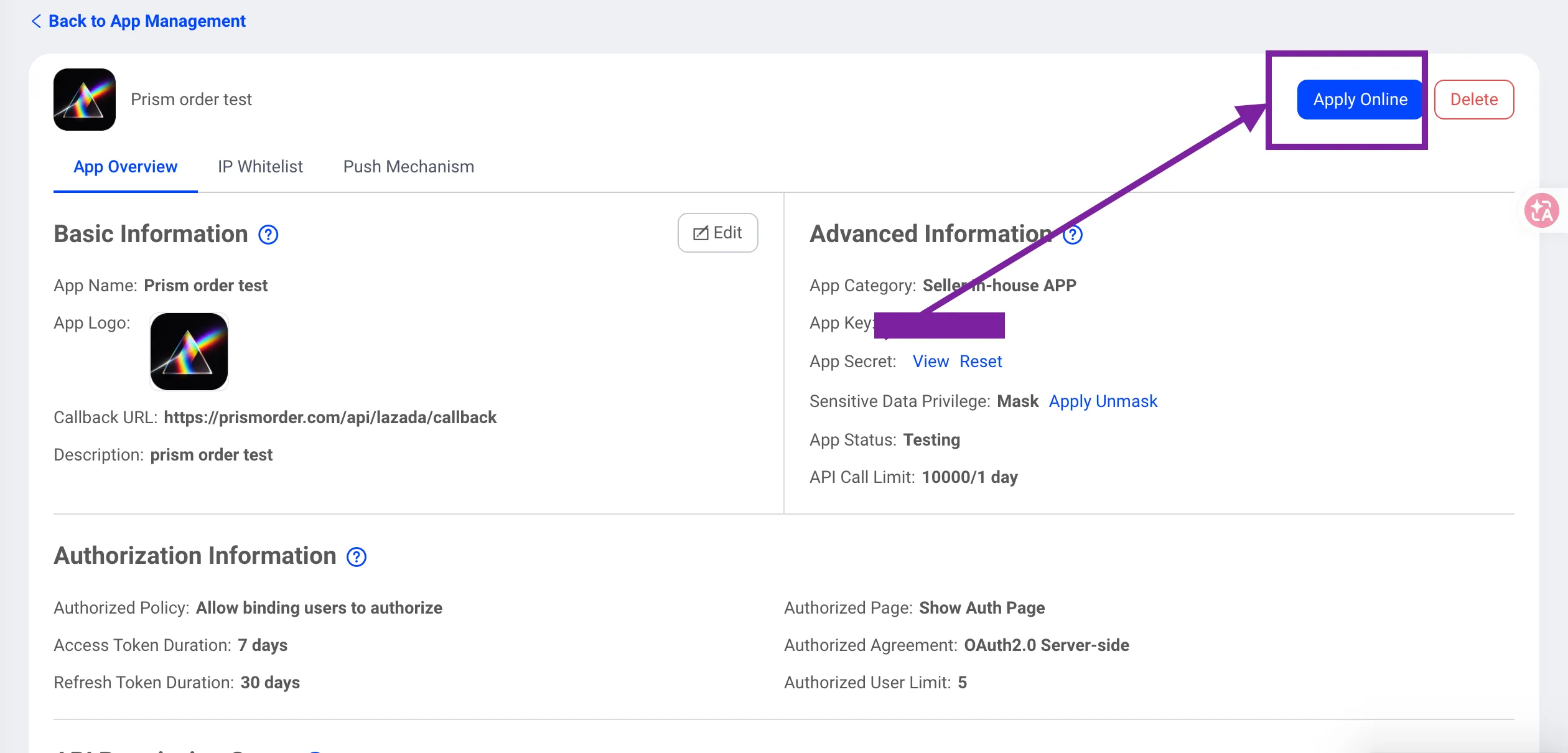
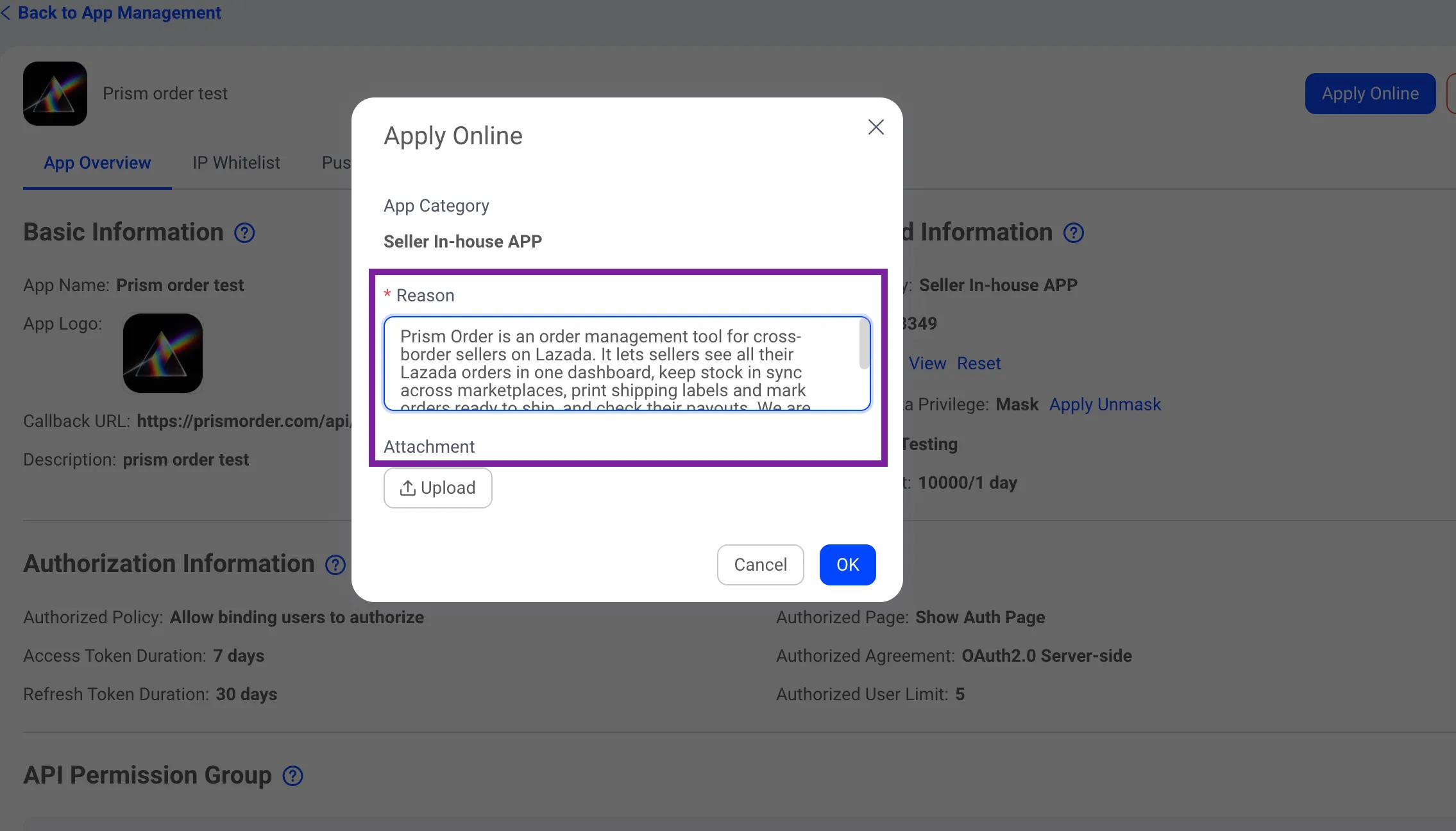
- On the app details page (App Overview), click the Apply Online button in the upper right to submit an API permission request.
- On the same page, note your issued App Key, and click View next to App Secret to reveal and copy your secret key.
Step 5: Enter Reason for Application
- In the Apply Online pop-up modal, copy and paste the reason below into the Reason field:
This in-house application is used strictly for internal order management, shipping label generation, and real-time inventory synchronization for our own Lazada stores.- Click OK to submit the application.
Next Steps
Your Lazada app creation and permissions request are complete! Now configure Webhook settings to receive real-time order notifications.