
Register API Keys in Prism Order
Registering the credentials issued by Lazada into Prism Order activates store integration and real-time order synchronization. Once registered, these credentials apply automatically to all connected regional stores.
Entering Keys in the Onboarding Wizard
Navigate to the Onboarding Wizard on the Prism Order dashboard, or go to Settings → API Keys under the Register Lazada API Keys section.
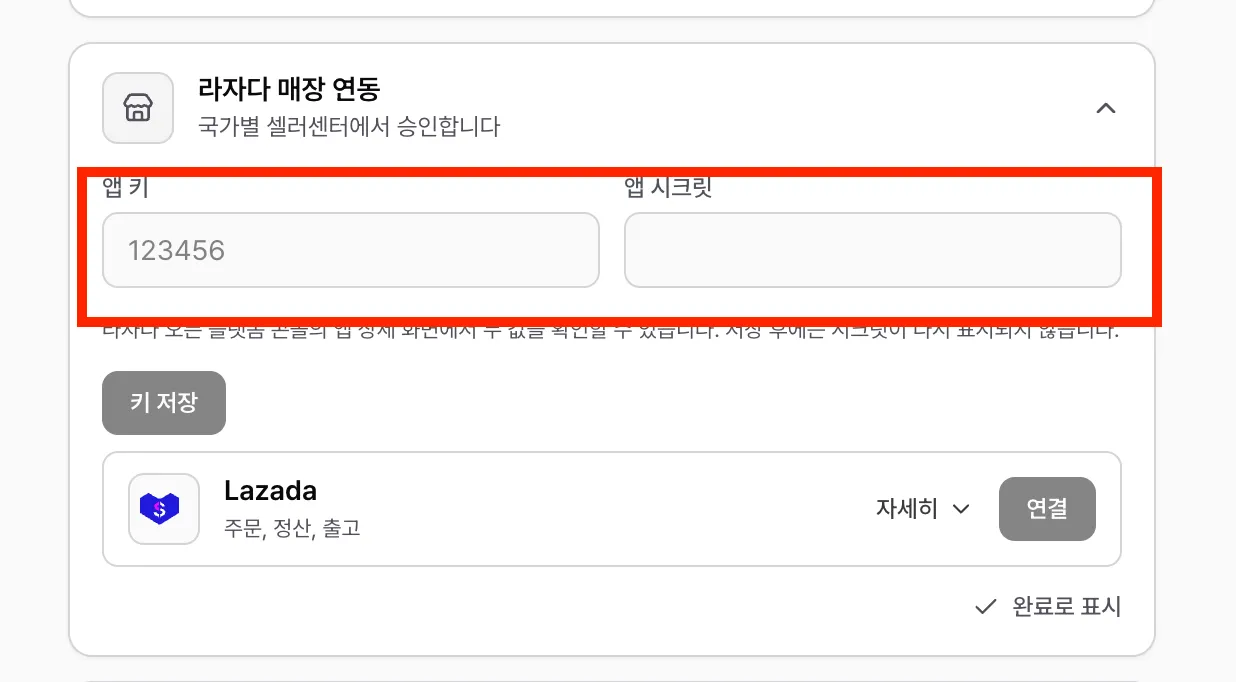
- App Key: Enter the App Key found on your Lazada Open Platform app details page (App Overview).
- App Secret: Click the View button to reveal and copy your App Secret, then paste it here.
- Click the Save Keys button.
Next Steps
Once your keys are saved, the next onboarding card—Connect Lazada Country Stores—will unlock. You can now link your active Singapore, Malaysia, and other regional stores.
👉 Next: Connect Lazada Stores